Product Overview:
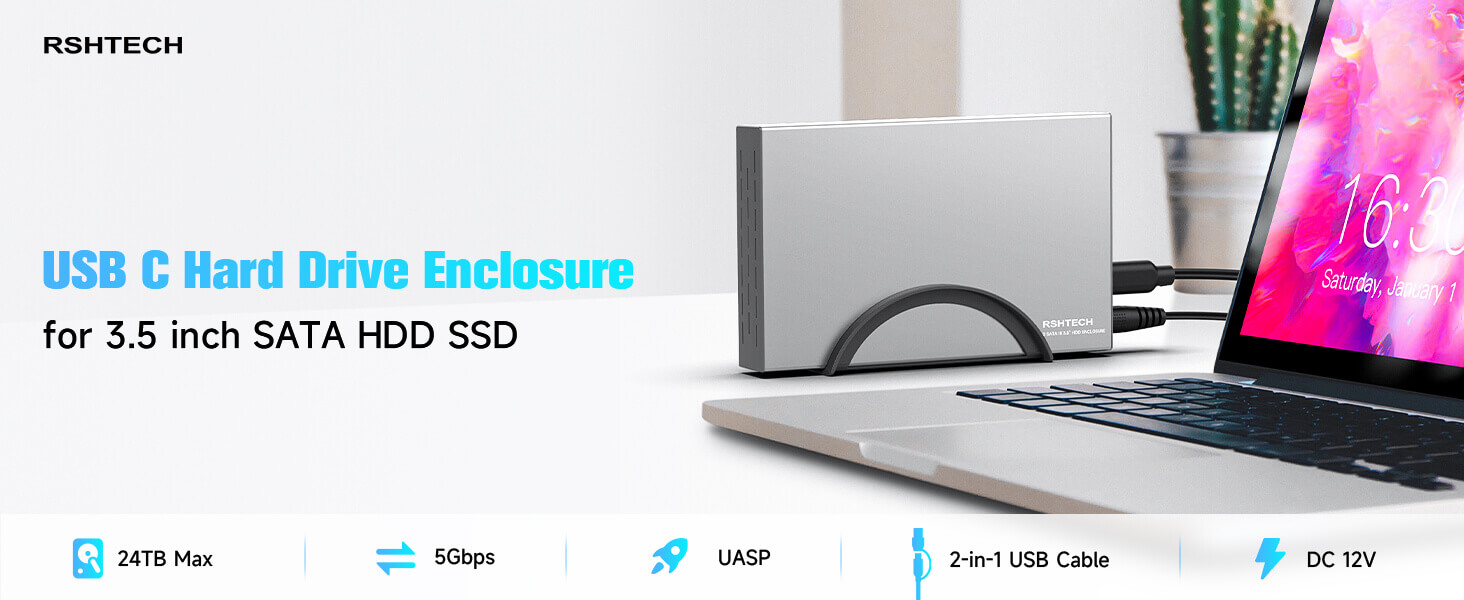
- External Hard Drive Dock: USB-C hard drive enclosure is designed for internal 2.5"/3.5" SATA hard disk, supports up to 24TB hard drive
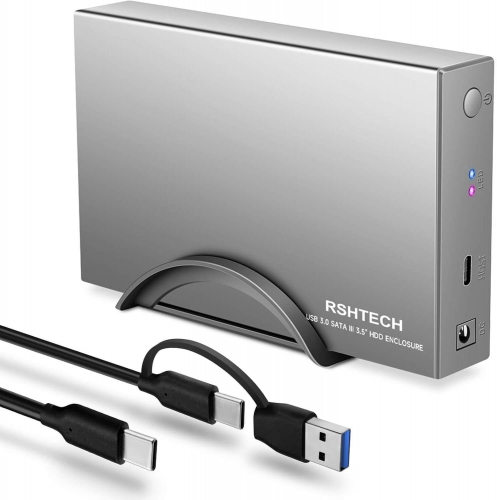
- 2-in-1 USB Cable: Hard disk enclosure with 3.3 ft USB-A/USB-C detachable cable, dual USB connector design is compatible with USB-A/USB-C/Thunderbolt port hosts. Such as Laptop, PC, PS4, PS4 Pro, Xbox 360, Xbox One, smart TV
- Ultra-Fast & Stable: 3.5 inch hdd enclosure data transfer up to 5Gbps, support UASP technology up to 6Gbps, built-in ASM chip, enjoy faster and more stable data transfer performance
- Automatic Sleep Function: Entering sleep mode after 10 minutes of data access inactivity. Two LED indicator show power status (Red) and hard drive activity status (Blue). Electronic power button, tap to open, long press 3 seconds to turn it off, effective protection of your hard drive disk
- Aluminum Housing & Vertical Bracket: SATA hard drive case is designed with aluminum housing and bottom vents for better heat dissipation and shock resistance. Equipped with a removable stand, it can be lay flat or stand upright for your daily use
- Broad Compatibility: Support 2.5 & 3.5" SATA I/II/III /HDD SSD.
About the LED Indicator
Red LED – power status.
Blue LED – the working status of the hard drive.
Both LED On steady – the unit is power on correctly
Blue LED Flickering – data syncing
Blue LED Breathing – the unit is in sleeping mode
Compatible system:
Windows 7 / Win 8 / Win 10 / Win 11
, Mac OS 10, Linux 9 and above
Package Content:
- 1× RSHTECH USB C/USB 3.0 to SATA Hard Drive Enclosure
- 1× 12V/2A DC Power Adapter (4ft)
- 1× USB C to USB-A/USB-C Cable (3.3ft)
- 1× Bracket
- 1× Screwdriver and Screws Kit
FAQ:
Q1. The data transfer speed is slow.
A. Make sure the hard drive and the data cable are connected securely.
B. Connect the enclosure to the USB 3.0 port on your computer.
Q2. The enclosure could not be recognized by the computer.
HDD that has never been formatted before may not be recognized.
A. Make sure the hard drive and the data cable are connected securely.
B. The hard drive is workable in another device (PC or HDD enclosure).
C. Try to connect with another USB data cable.
D. The hard drive with the right format. For example, use the GPT format when the capacity is larger than 2TB.
E. Format the hard drive or deep format in Dos accordingly. (Make sure you back up the data first)
Q3. Will I be able to recover data from an old SATA drive?
If the old hard drive is not mechanically faulty and can be accessed by connecting to a computer, the data can be read and copied to the new hard disk through the hard drive enclosure.


 EUR
 GBP
 JPY